

Q4 2025 brings a solid wave of usability improvements, booking engine enhancements, document automation upgrades, and new integrations across the RentSyst platform.
This release focuses on reducing manual actions, improving clarity for managers and customers, and strengthening integrations with payment systems and APIs. Below is a detailed overview of all updates delivered during the quarter.
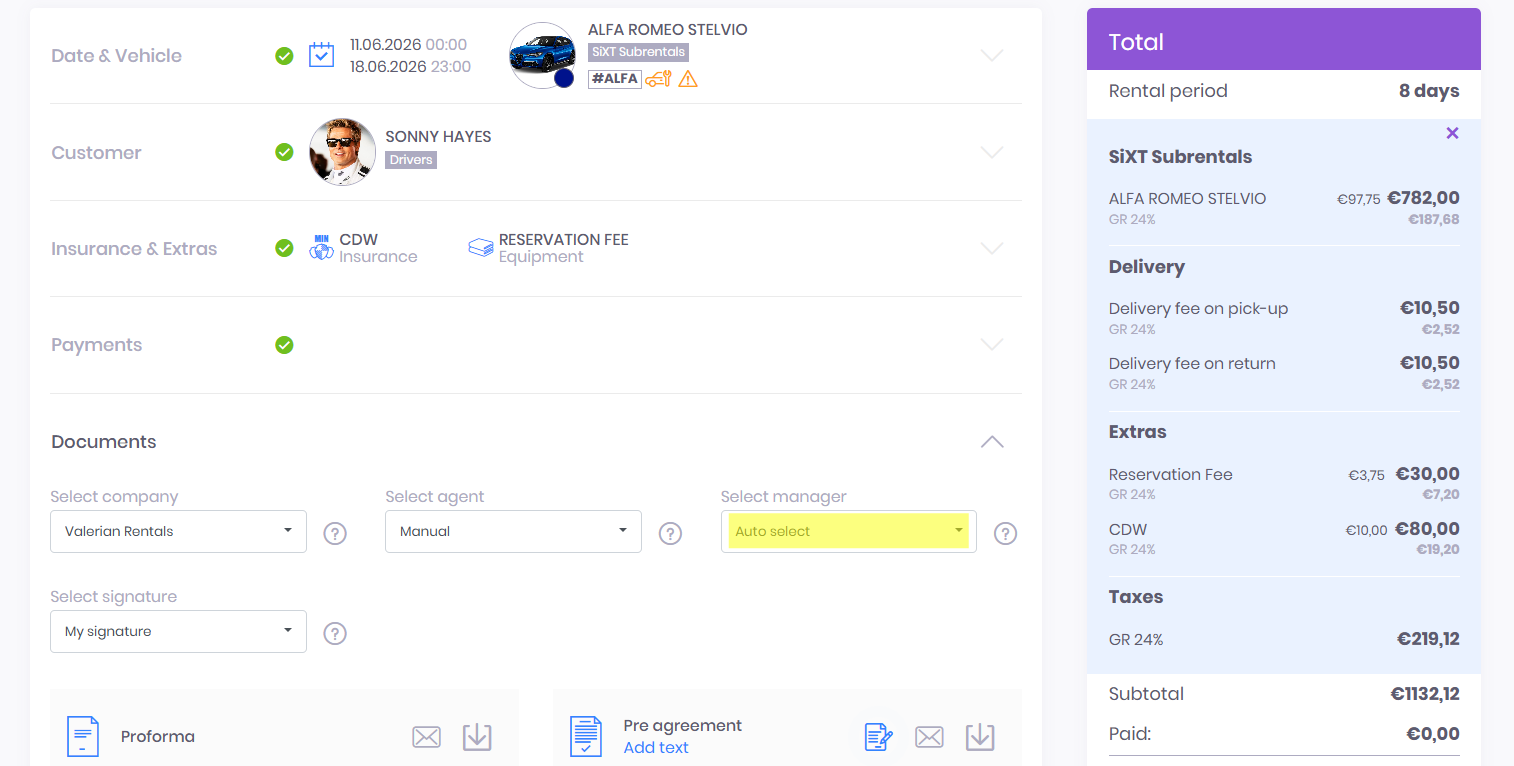
When a manager creates a new order, the system now automatically links the same manager as the responsible person for this reservation.
Previously, a random manager could be assigned, which caused confusion and extra reassignment work. This update ensures clear ownership of each order from the start and improves accountability across teams.
Auto-select
Additionally, we added an auto-select box for manager assignment for faster workflows – both for Reservation and Maintenance tabs.
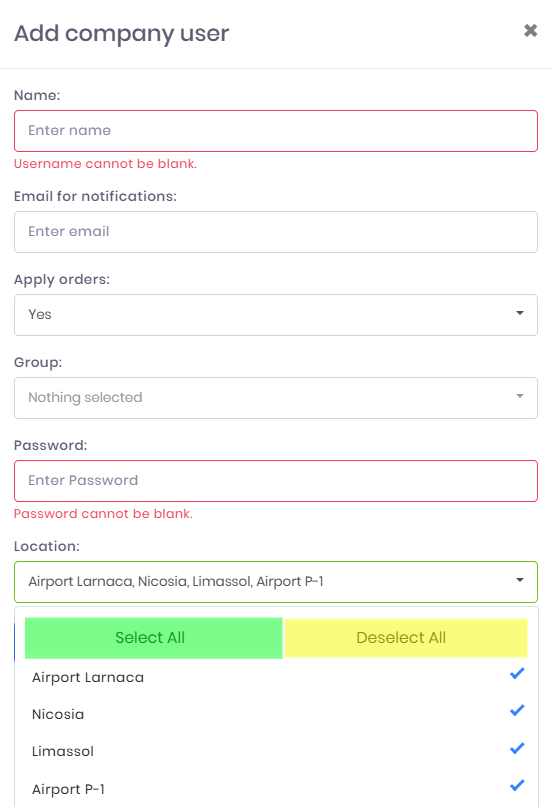
When assigning locations to a manager, you can now:
Sample below with 4 locations, but what if rental companies have 10-20 locations? This simplifies setup for large or multi-location businesses.
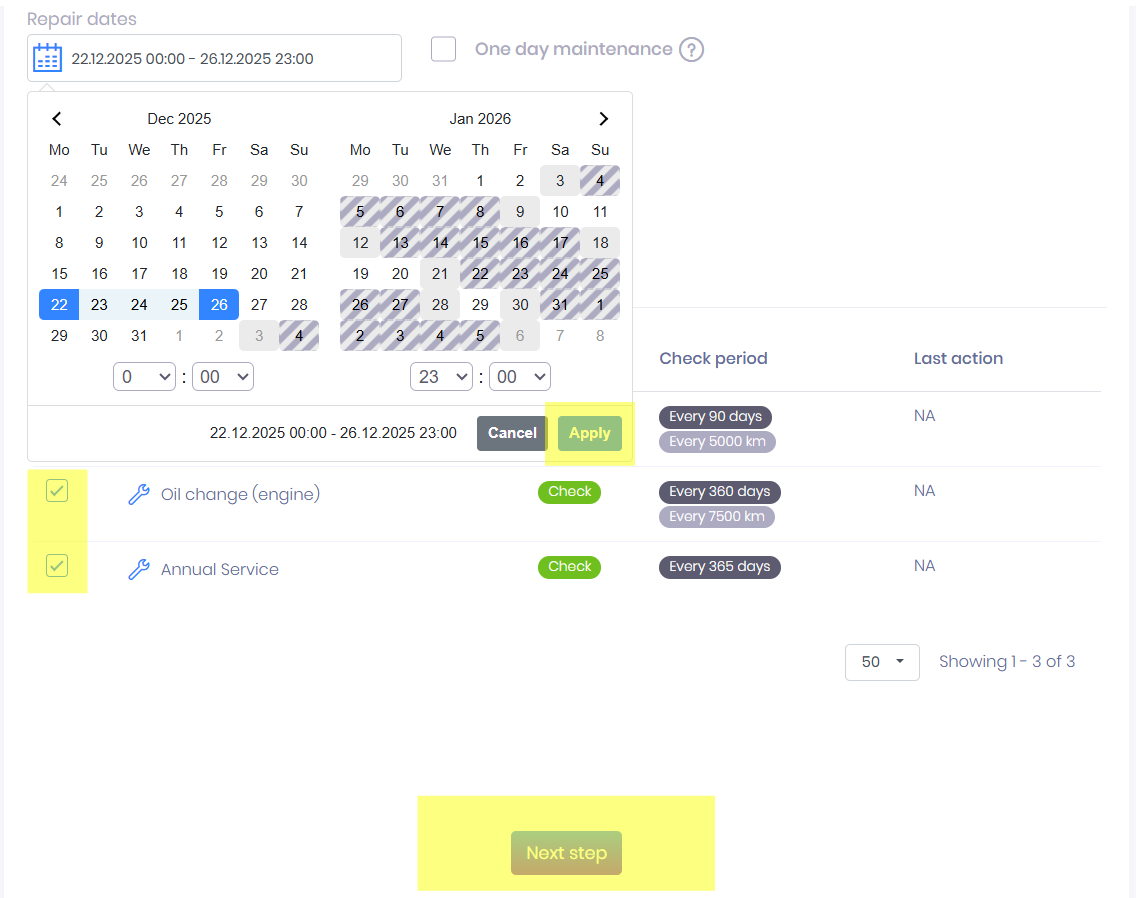
When creating a new maintenance task, users previously had to manually click the Apply button in the date picker. Missing this step caused the Next Step button to remain inactive, leading to frequent confusion.
The system now automatically applies selected dates, removing friction and significantly improving task creation usability.
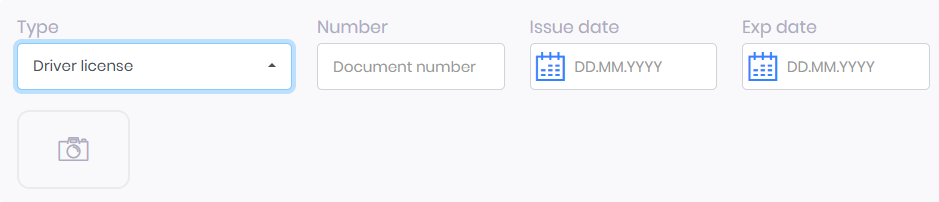
All document expiration fields now use a consistent and user-friendly format DD.MM.YYYY.
This improves clarity and reduces date-related errors across the system.
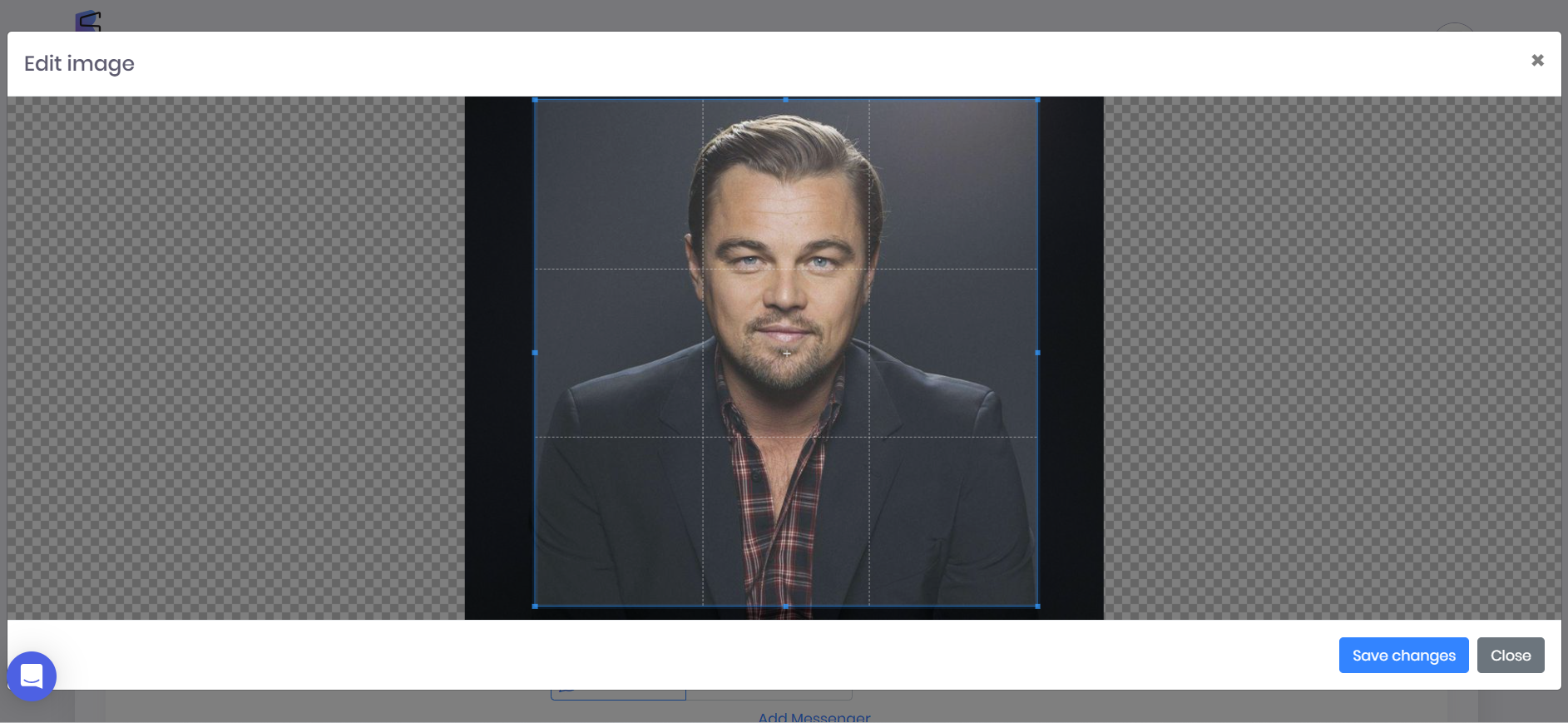
The photo editor frame has been optimized for scenarios where users upload:
This ensures proper scaling and cropping without distortion, improving visual consistency across profiles and documents.
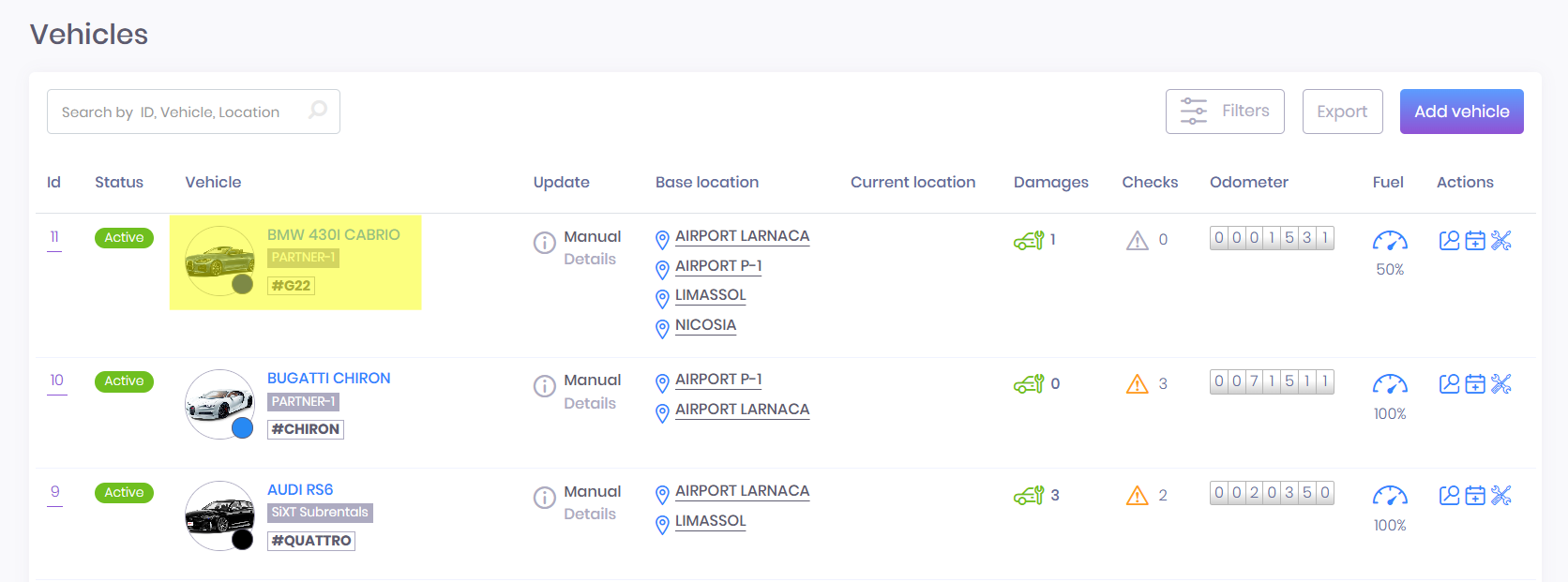
If no main image is selected, the system now automatically uses the first uploaded photo as the vehicle avatar.
This guarantees consistent visuals across the fleet catalog.
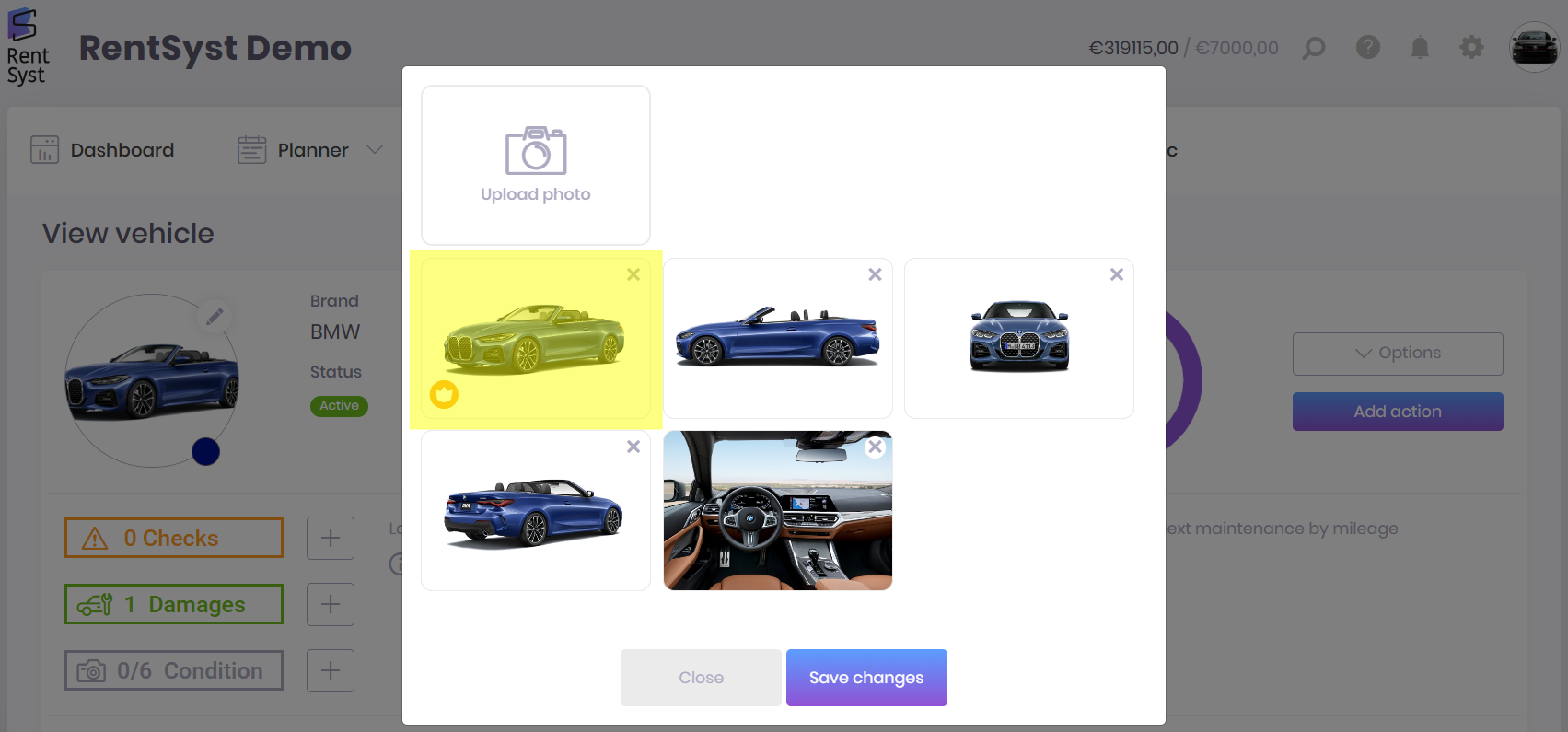
So first added picture of your vehicle will be auto-selected as an avatar of this car:
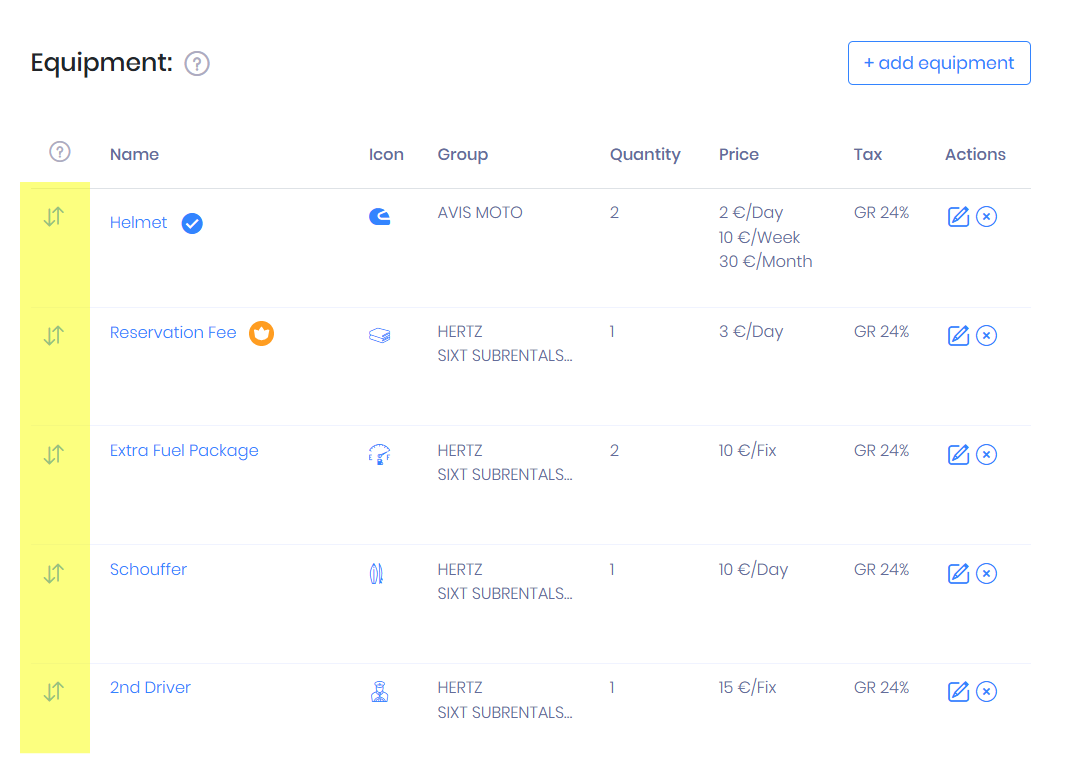
You can now define the priority order of Extras:
This allows you to promote high-margin services more effectively.
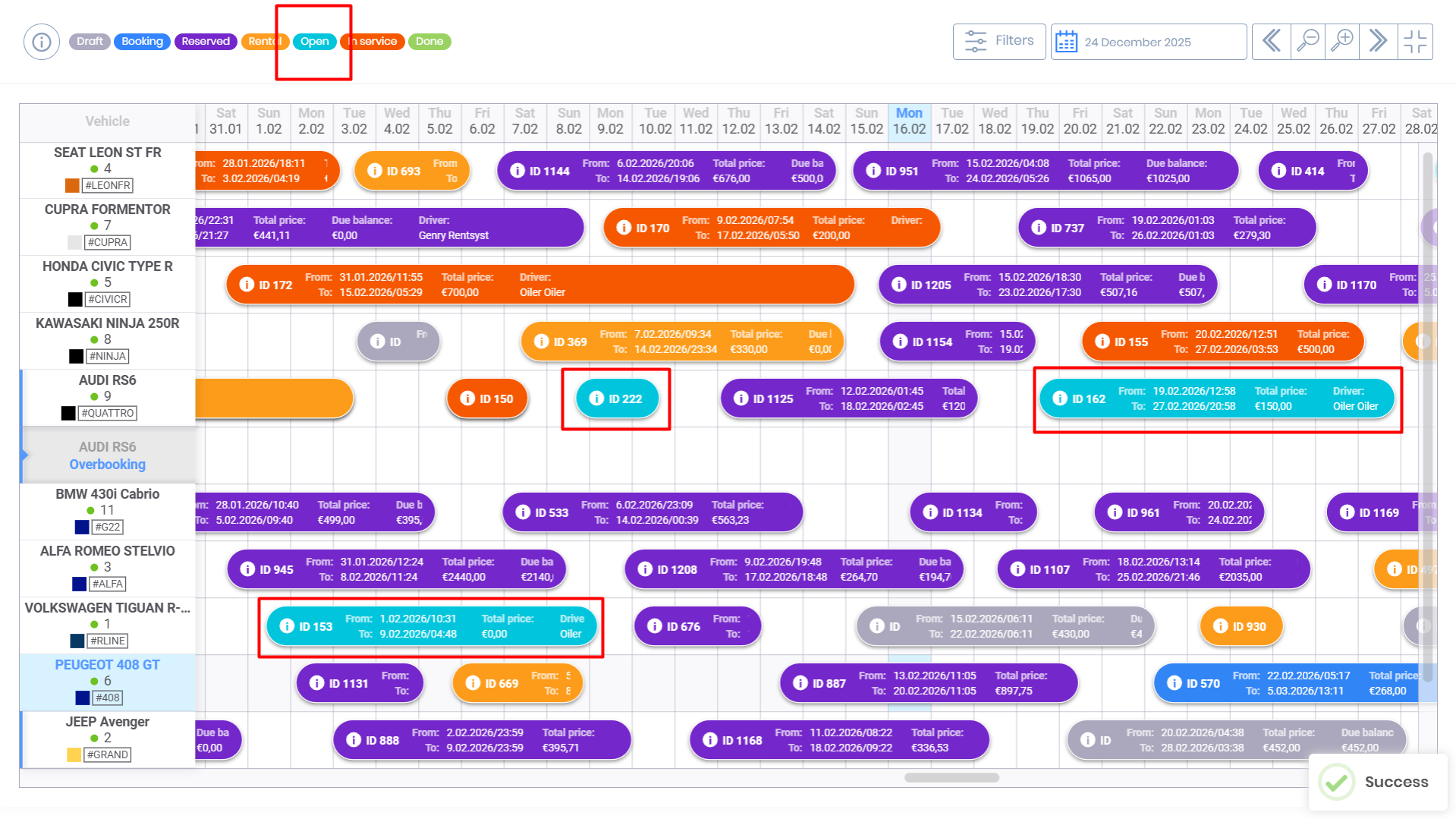
Maintenance orders with OPEN status are now displayed in ocean blue, making them easier to distinguish from rentals and other events.
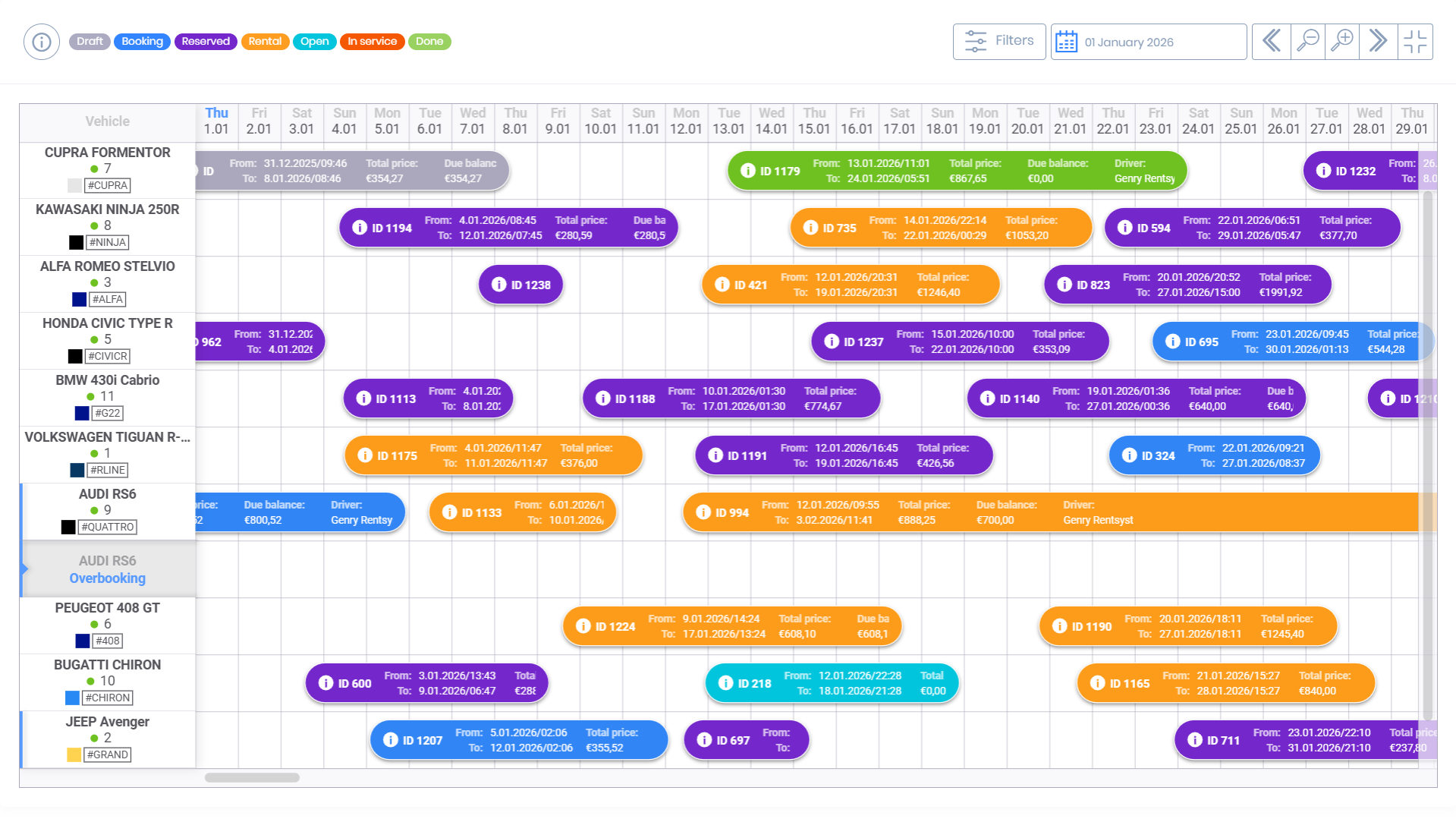
A new option allows you to make the Timeline view more compact, especially useful on mobile devices.
You’re able now:
Sample for full-screen mode (web):
Old minimum overlay view: January 1st – January 29th range preview (29 days total):
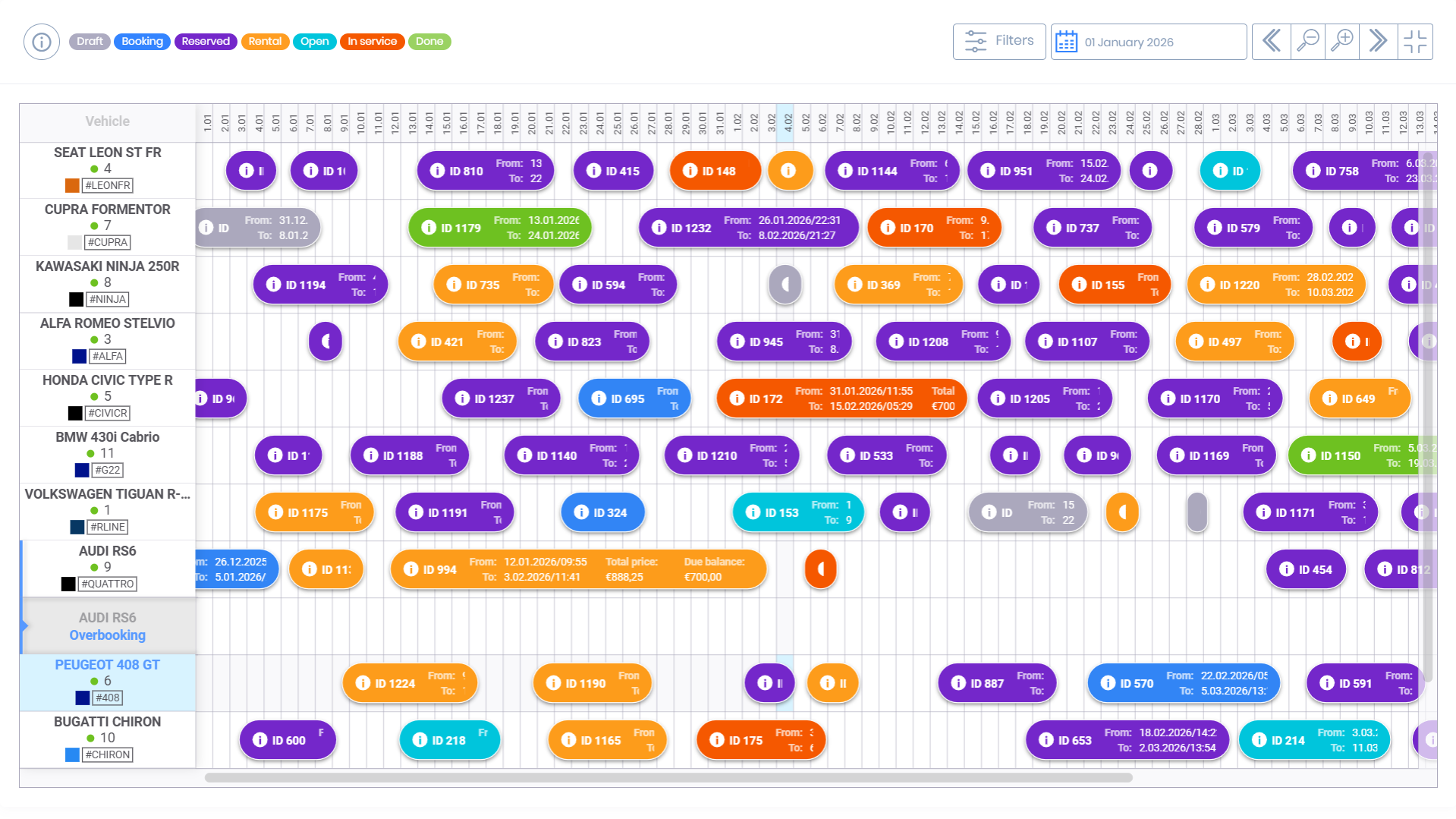
Updated minimum overlay view: January 1st – March 13th range preview (72 days total):
When a Proforma Invoice or Pre-Agreement is generated as a final Invoice or Agreement, the system now highlighted the document label in green.
This visual indicator helps teams instantly understand that:
It adds transparency and prevents duplicate actions.
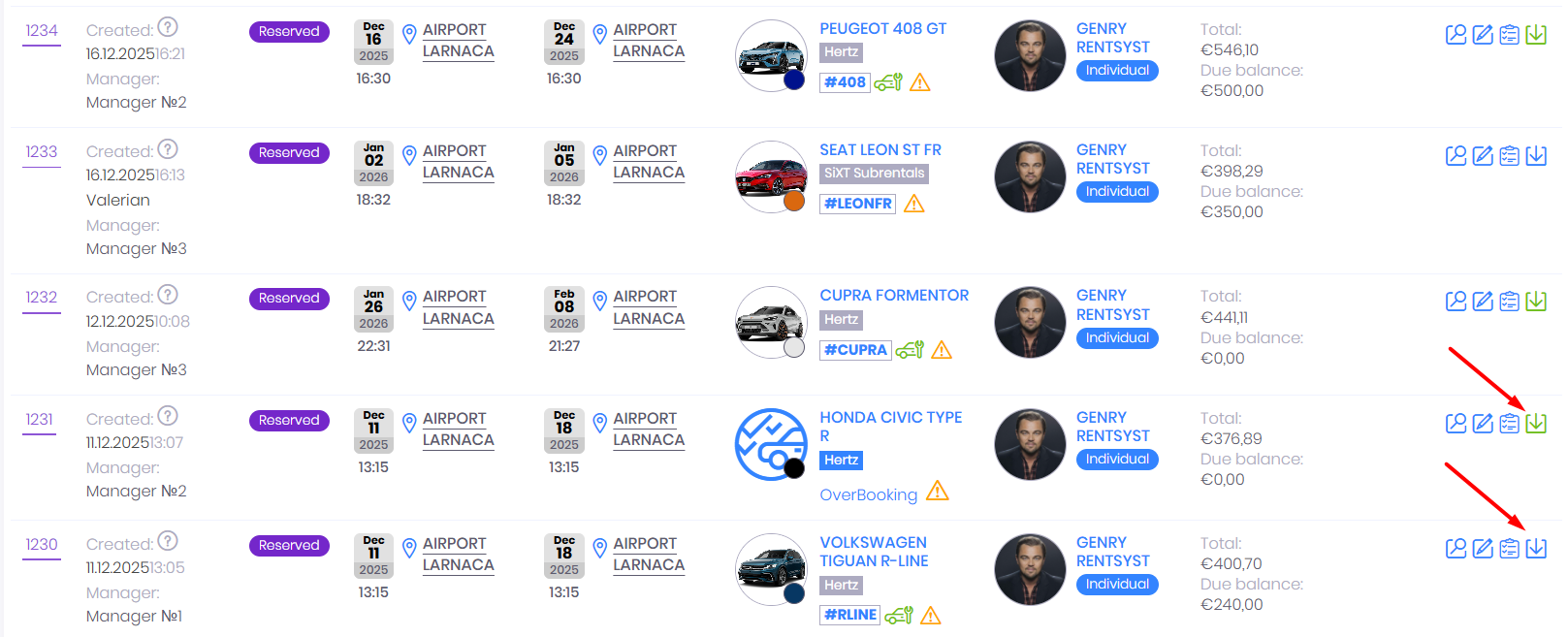
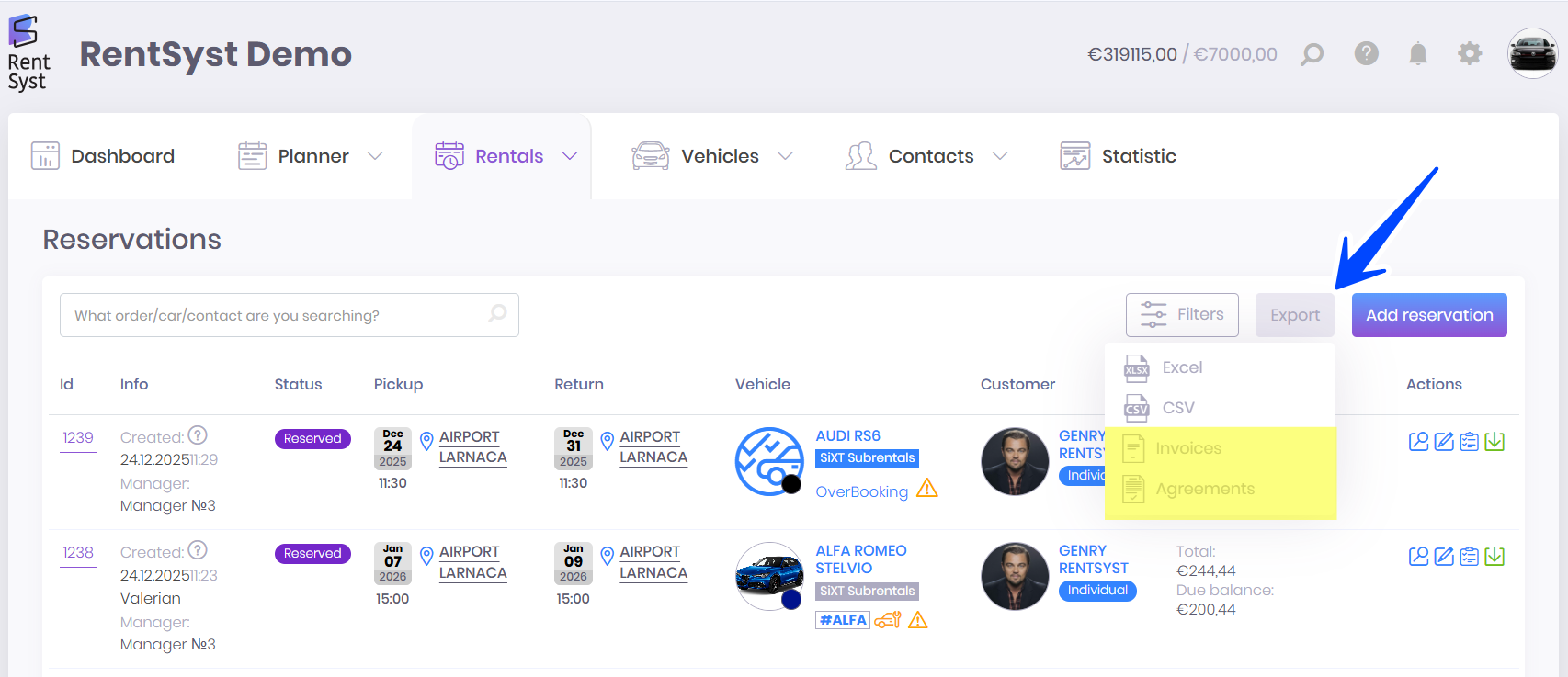
You can now export Invoices and Agreements in bulk as a single PDF archive for a selected period.
This highly requested feature is built on the new document editor and is ideal for:
A major productivity boost for large fleets and multi-location companies.
You can generate PDF-export as usual export once a day. Repeated generation on the same day will give the old archive. New ones work optimized and if there is an old archive from the export take documents that are still relevant to it. Documents that have changed, or appeared from another export – are generated and added to the new archive.
PDF generation now corresponds to the novelty of the new service, which should be more stable and twice faster.
Images can now be uploaded directly into the document editor for:
This enables richer branding, visual instructions, and better document customization.
How to use it?
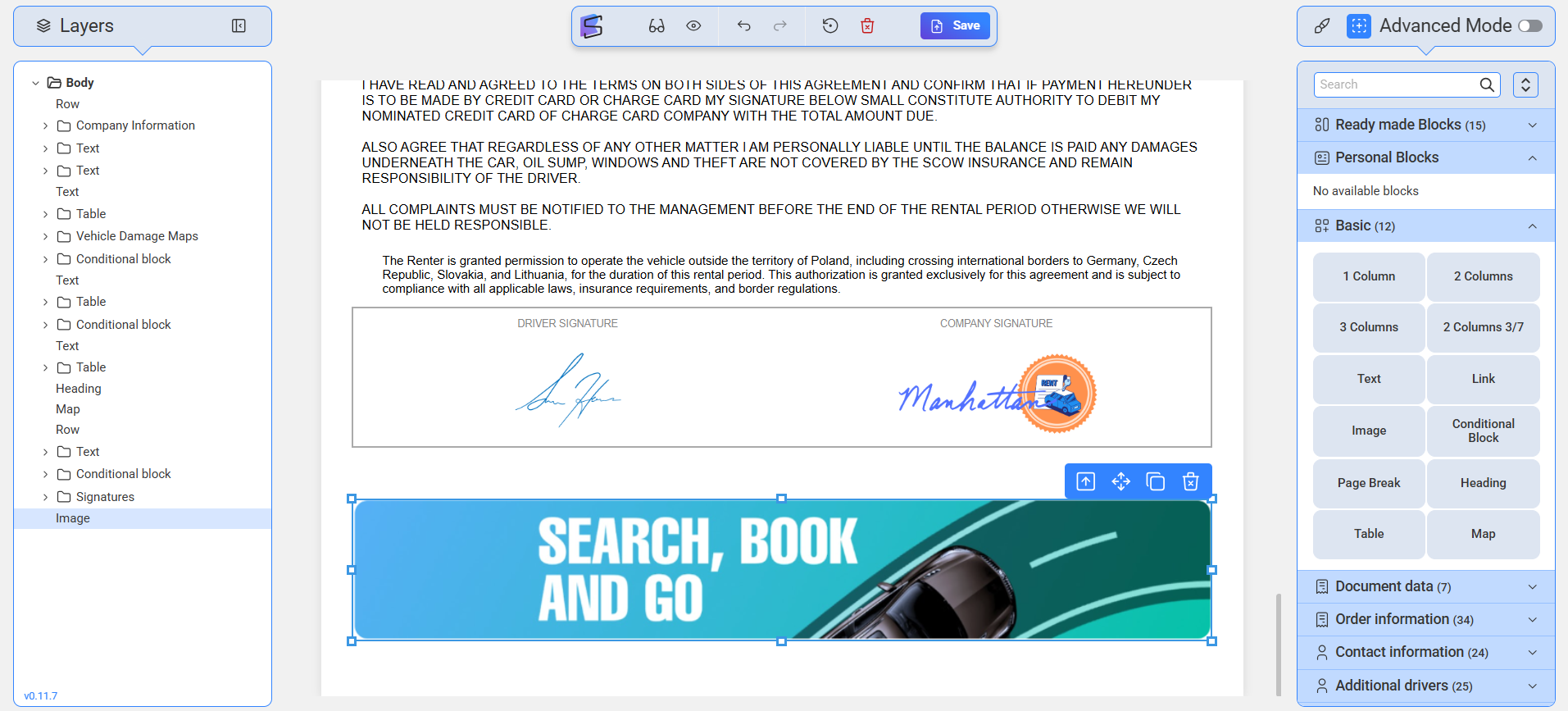
Inside your new Agreement editor – choose shortcode category “Basic” – “Image”:
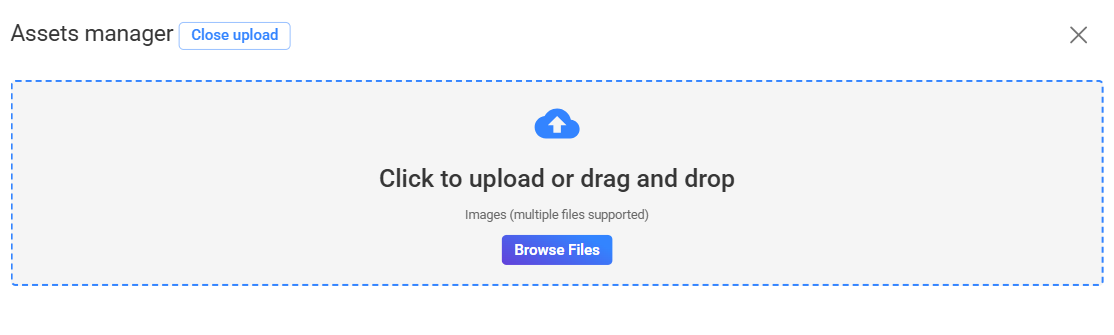
Here with opened menu upload your picture (-s) and choose preferred file to use:
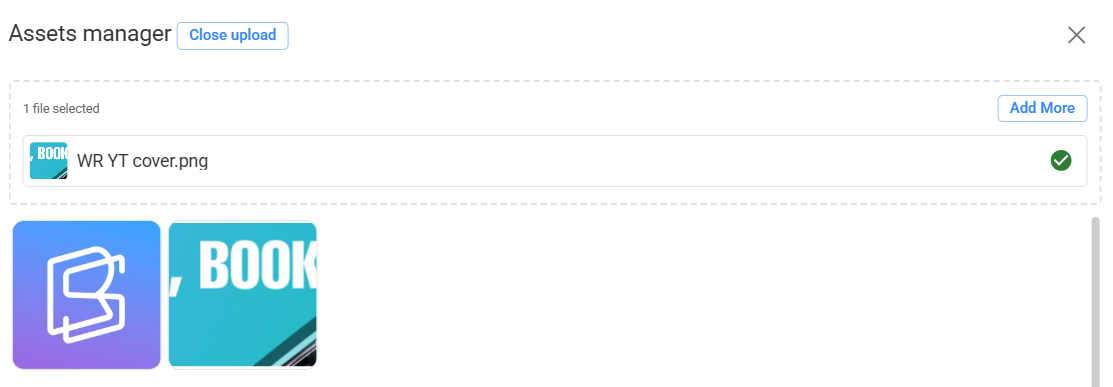
Now you may close this menu and the picture will be automatically placed on your document.
You may also change resolution for this picture:
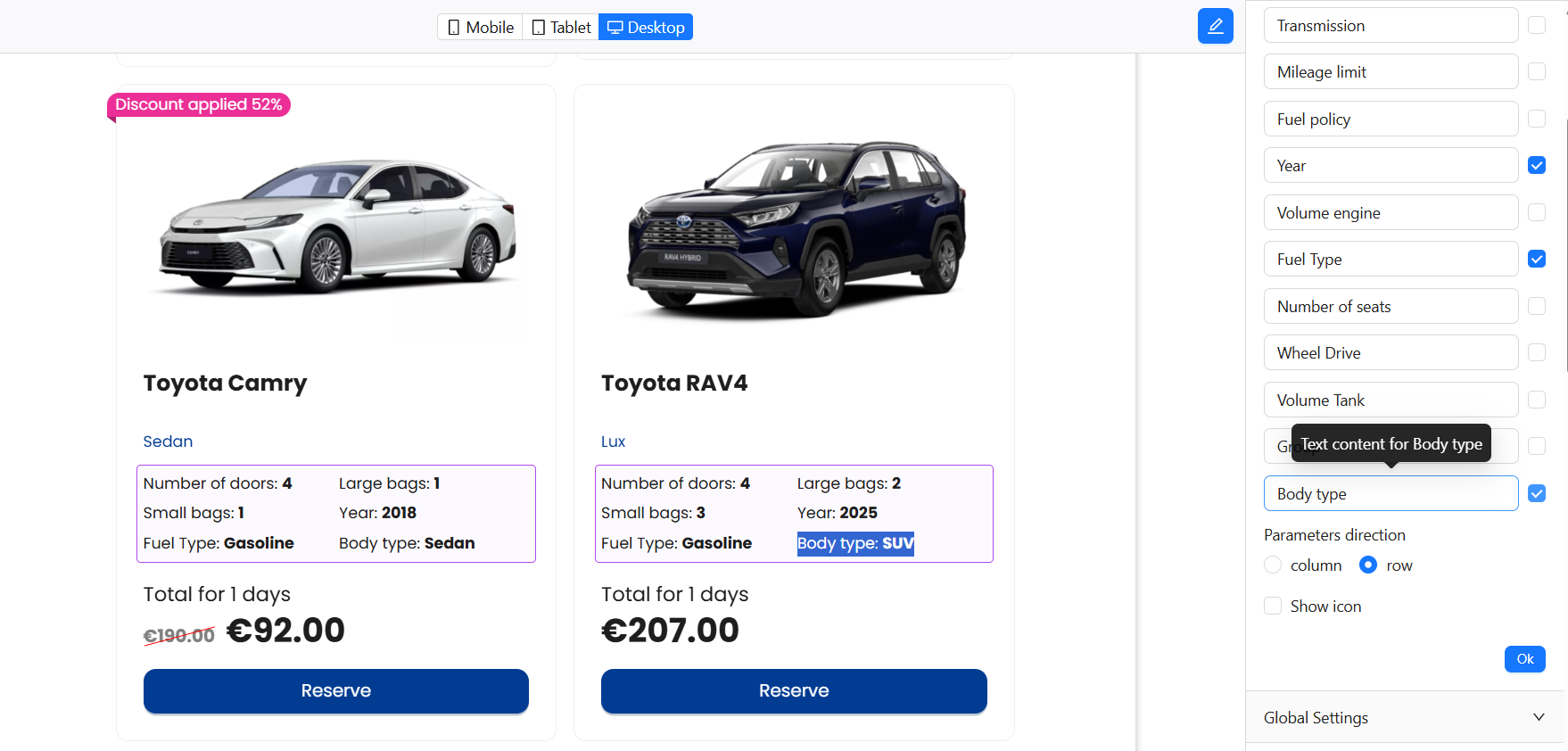
A new Body Type parameter can now be displayed in the Booking Engine (Step 2).
This allows customers to better understand vehicle specifications directly in the catalog, improving booking clarity and decision-making.
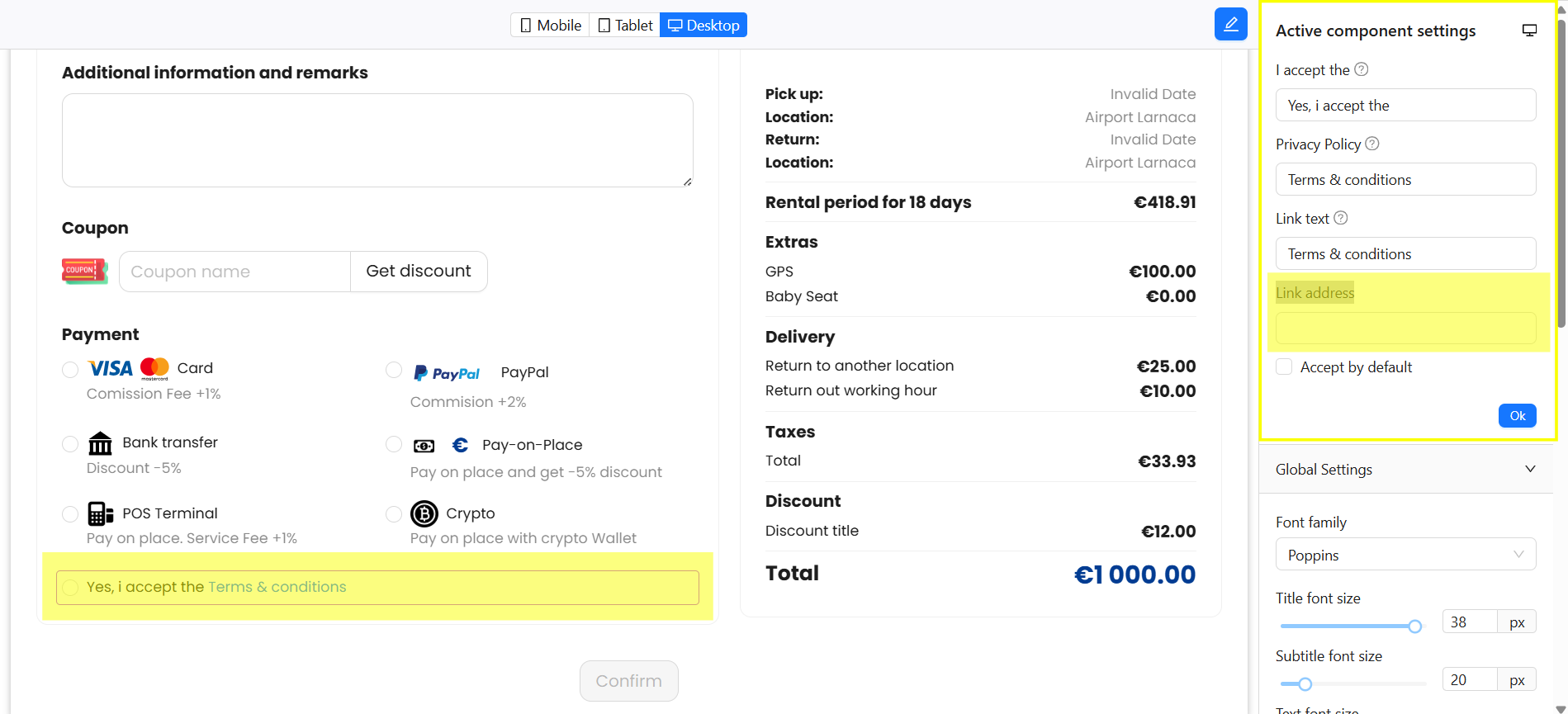
The Terms & Conditions link is now editable directly inside the Booking Editor.
This resolves long-standing confusion about where to manage legal links for Step 4 of the booking process.
For pricing based on periods, the booking engine now clearly displays:
Customers see transparent pricing breakdowns, increasing trust and conversion rates.
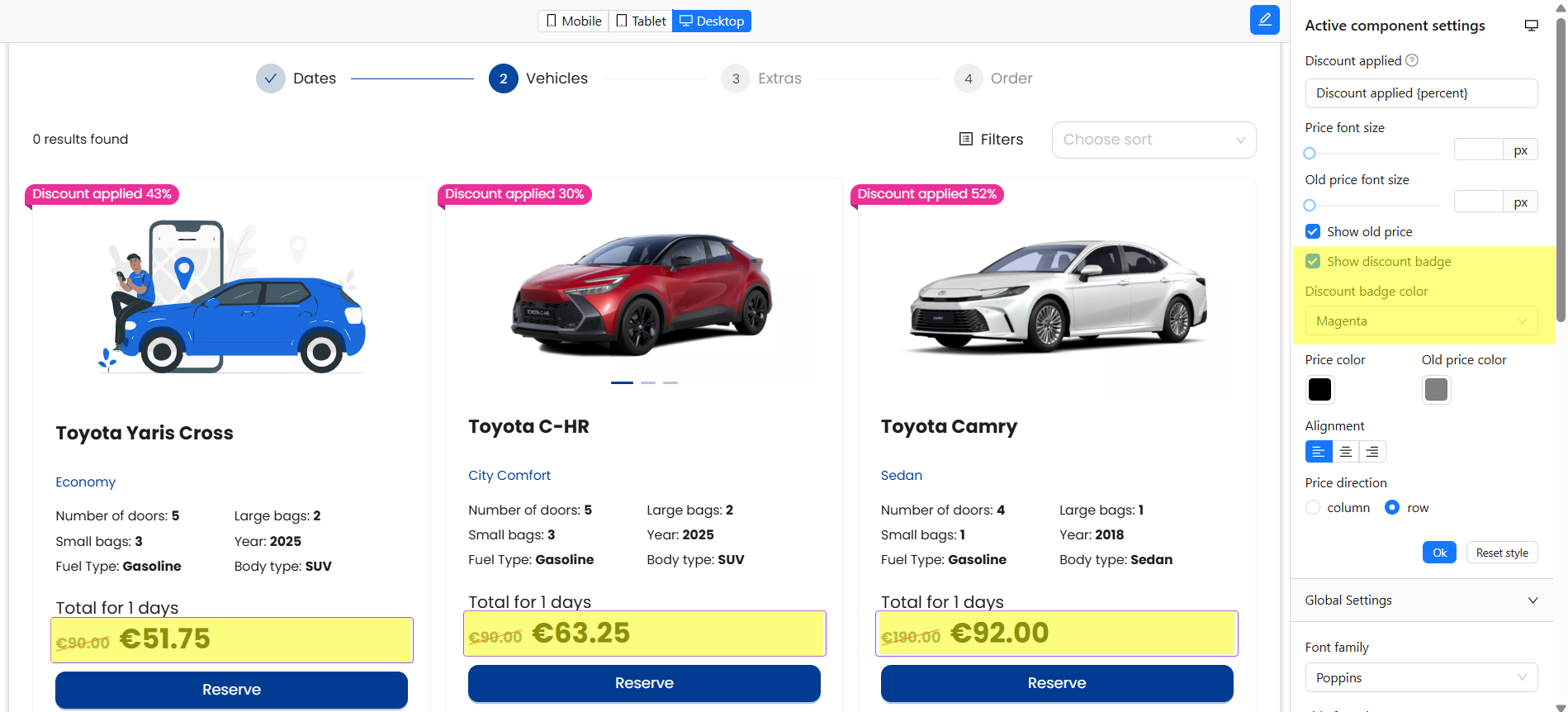
Video-guide explanation – Discount applied:
Learn how the new Booking Request Form works in RentSyst when no cars are available.
This new feature allows your customers to submit a request even if the system shows no availability – giving you more leads, more opportunities, and better control during high-demand periods.
Also Contact / Lead Form now correctly passes the Sub-Company parameter.
This ensures:
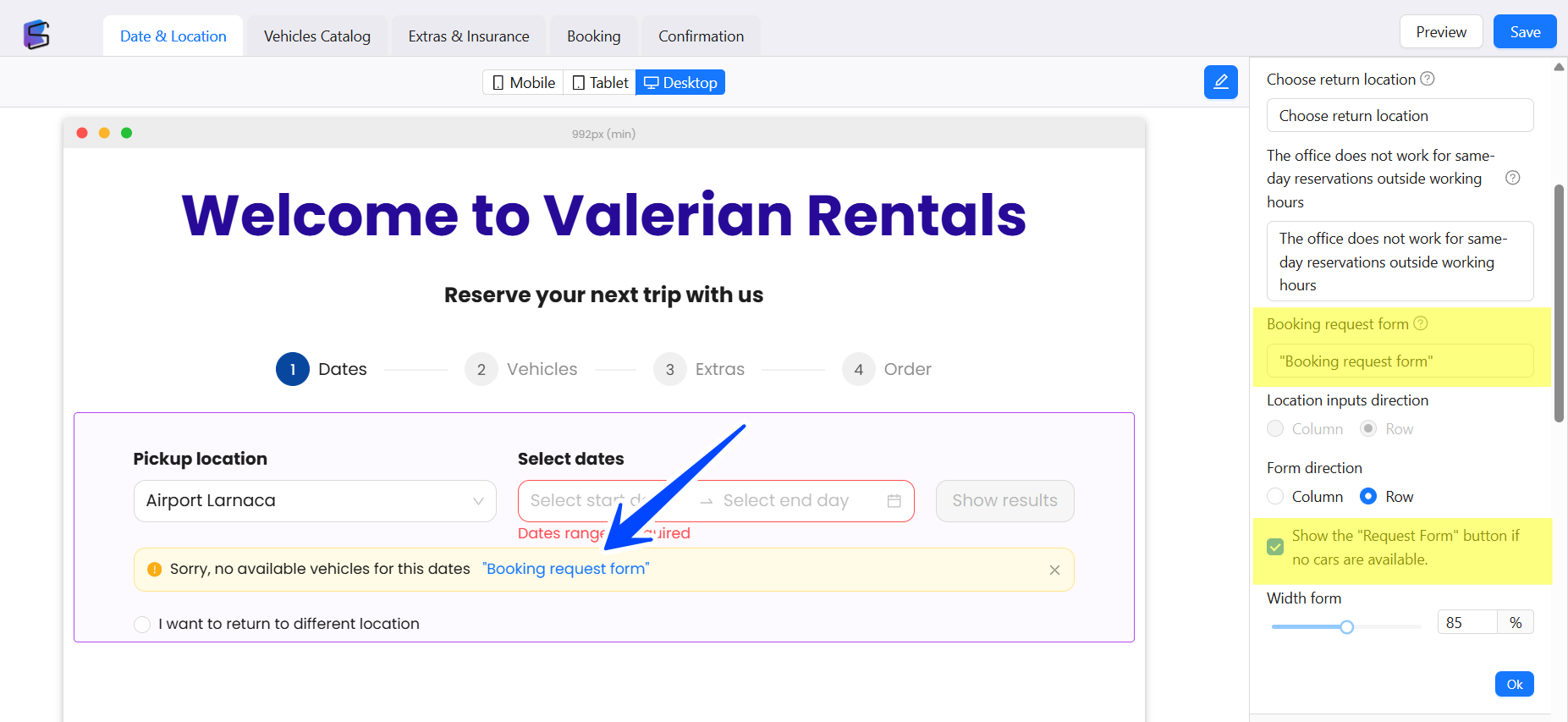
Form customization interface:
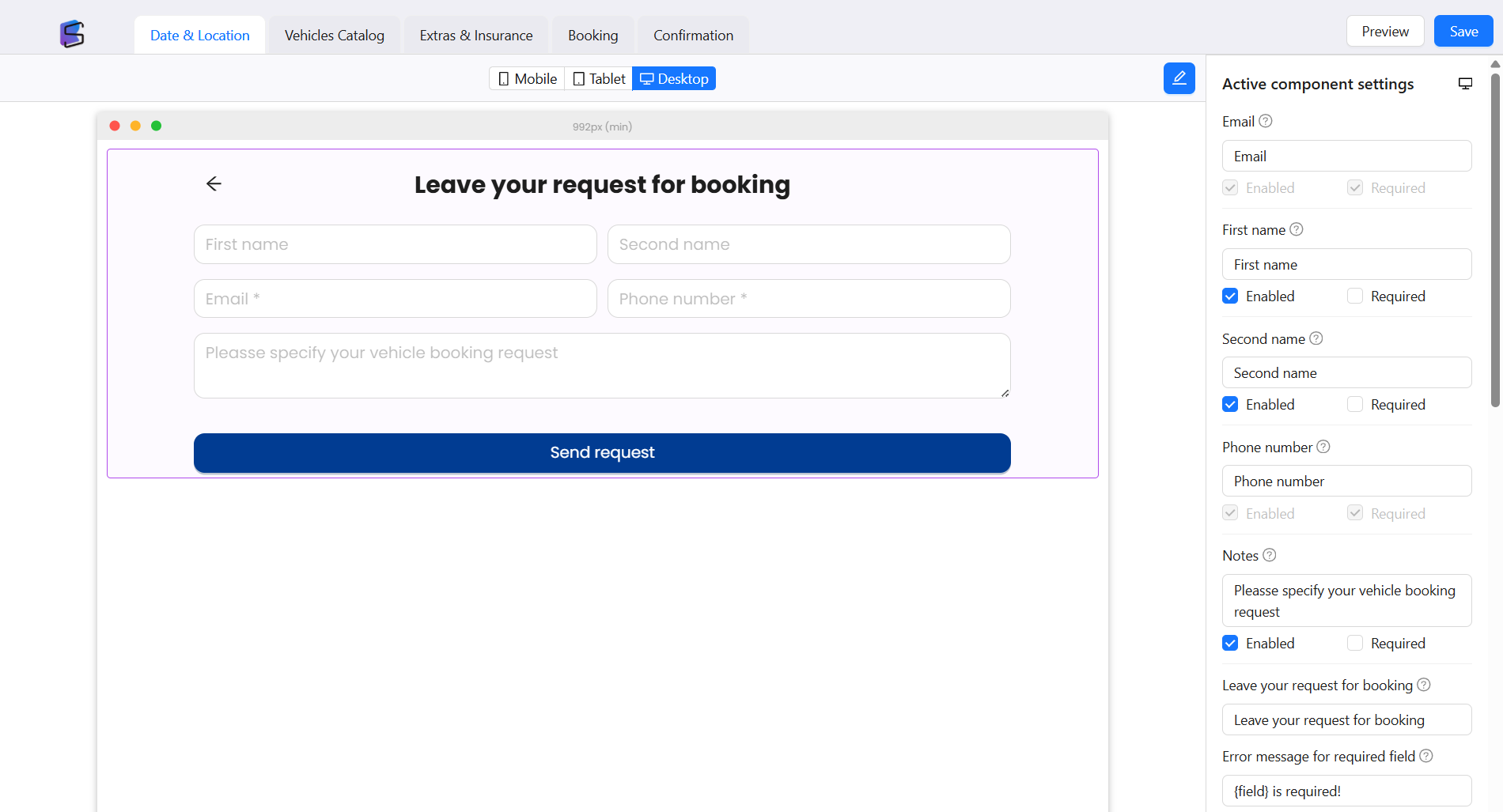
Video-guide explanation – Booking Request Form:
The Plati.Online integration has been updated with improved processing logic and reliability for the Romanian market.

The integration with JCC Payment Gateway has been updated to improve stability, compatibility, and transaction handling.
Check JCC Guide

RentSyst now supports Revolut Payments, expanding card payment options for international rental businesses.
Check Revolut supported countries
Check Revolut Guide
When you request /oauth2/token you receive an access_token along with an expires_in parameter, which indicates the token’s expiration time. Currently, this time is 24 hours, during which the token can be safely used for all API requests without the need to obtain a new one.
This is not a unique requirement of our API – it is a standard practice in the industry, which is based on the OAuth 2.0 protocol and is widely used in most modern services.
To ensure platform stability and security, RentSyst is preparing to introduce a limit of 10 OAuth tokens / hour.
We recommend:
This aligns RentSyst with OAuth 2.0 industry standards.
Additional notifications are now triggered when GPS commands are queued, improving visibility and control over vehicle tracking actions.
Sometimes the GPS tracker can be offline at the command time, so the system now able to show you such commands as pending in Queue status.
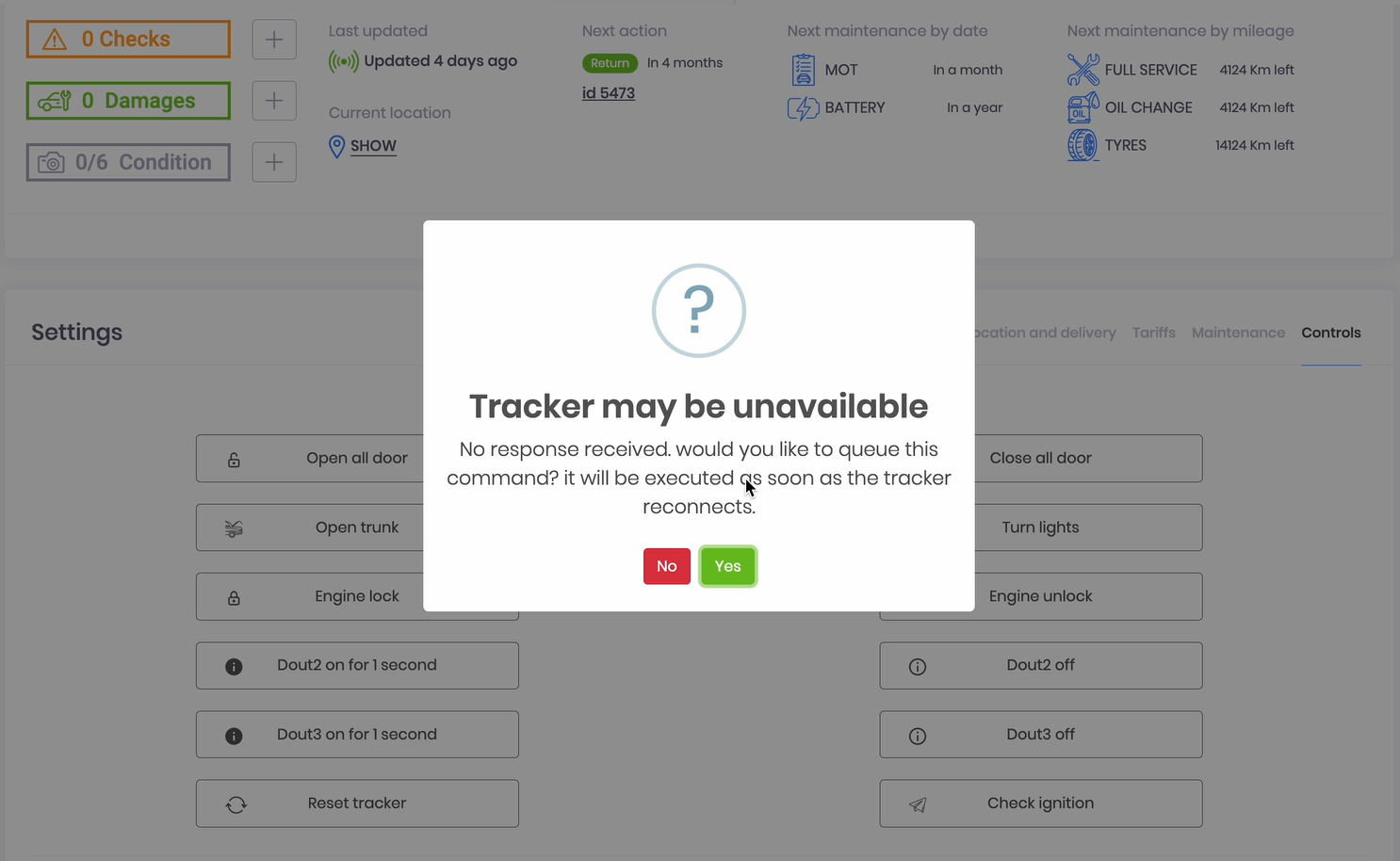
Press “Yes” – system will indicate that command is pending and status “Queue” will display near the command button.
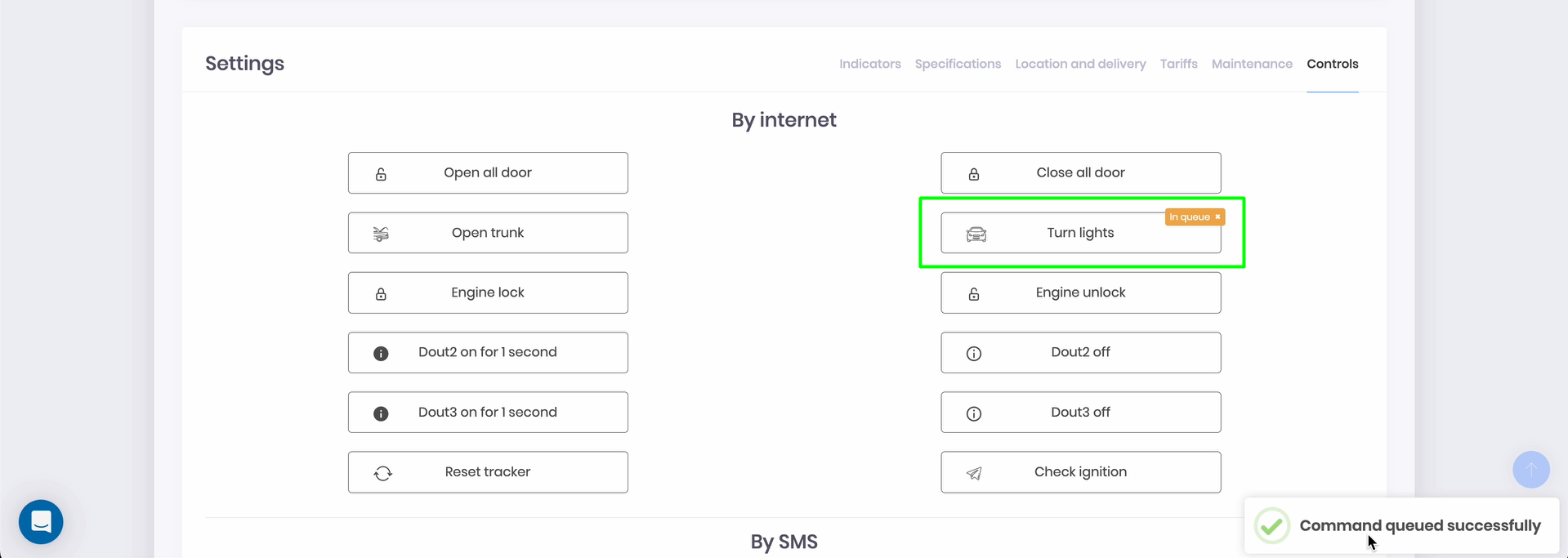
Feature is available for GPS, that were installed together with relay or CAN-control device.
More details how GPS works and secure your business:
22. Order summary copy button.
Ability to copy all reservation data from the Order summary table – a new feature that allows you to quickly share order information directly on messengers or copy to clipboard.
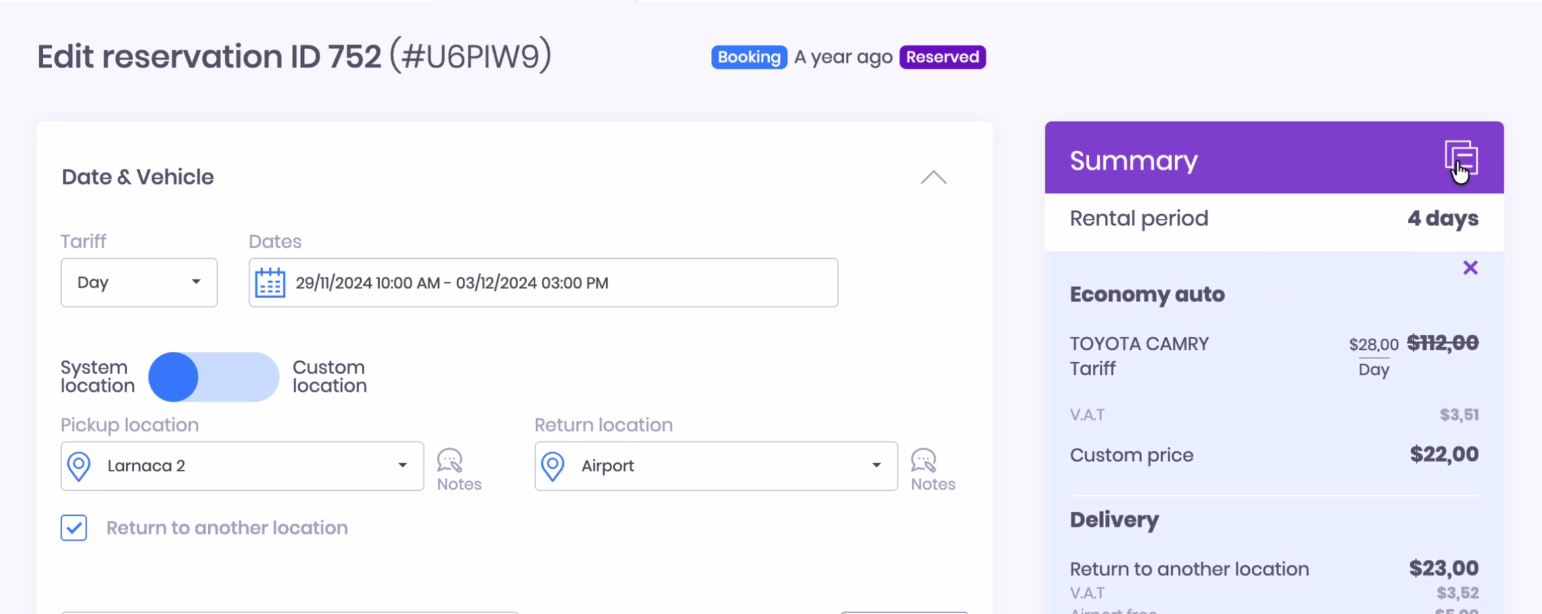
This feature will be very useful for mobile device users, because there will be an automatic option to copy or share order summary directly on messengers.
RentSyst pricing page now includes a EUR / USD currency switcher based on live exchange rates.
Please note: USD prices are indicative and may slightly differ depending on local currency conversions.
Q4 2025 focuses on automation, clarity, and scalability – helping rental businesses work faster, reduce errors, and deliver a better customer experience.
As always, RentSyst continues to evolve based on real feedback from rental companies worldwide. More updates are already in progress — stay tuned.
Thank you!
Your email has been added to our database. Now you will be the first to receive interesting news about your business.