

If you already run your fleet in RentSyst, you can now push your vehicles, availability and pricing to CheapCarRent’s marketplace without maintaining a second calendar by hand.
Here’s who CheapCarRent is, how the partnership works, and how to switch the channel on from inside RentSyst.
1. What is CheapCarRent?
CheapCarRent is an online vehicle-rental marketplace (Broker) that lets travellers search, compare and book across local rental companies and selected partners in one place. It isn’t limited to cars: the platform also lists motorcycles, boats and ATVs, which opens your fleet up to a broader mix of leisure and tourism demand than a car-only channel would.
A few things worth knowing about the platform before you connect:
The takeaway: it’s an extra, low-risk demand channel. Listing costs nothing up front, and you only pay a commission when a booking actually completes.
2. Becoming a CheapCarRent partner
Before any RentSyst-side setup, you need a partner account on the broker itself. CheapCarRent runs its own onboarding, and you can join it directly, independently of RentSyst, on their partner page:
The direct route, as described by CheapCarRent, works like this:
On terms:
In short: create your CheapCarRent partner account first (directly, at the link above). Then connect it to RentSyst so your fleet, calendar and pricing sync automatically instead of being re-entered manually.
Once you already have a CheapCarRent partner account, the connection follows the same pattern as RentSyst’s other channel integrations:
Make sure you can log in to CheapCarRent as a partner and that your company profile is complete.
In your RentSyst account, go to the integrations/channels area of your settings and locate the CheapCarRent channel. This is where external distribution partners are enabled for your account.
Enable the CheapCarRent channel and enter the wait until CheapCarRent confirm your connection. Mapping goes fully automatically.
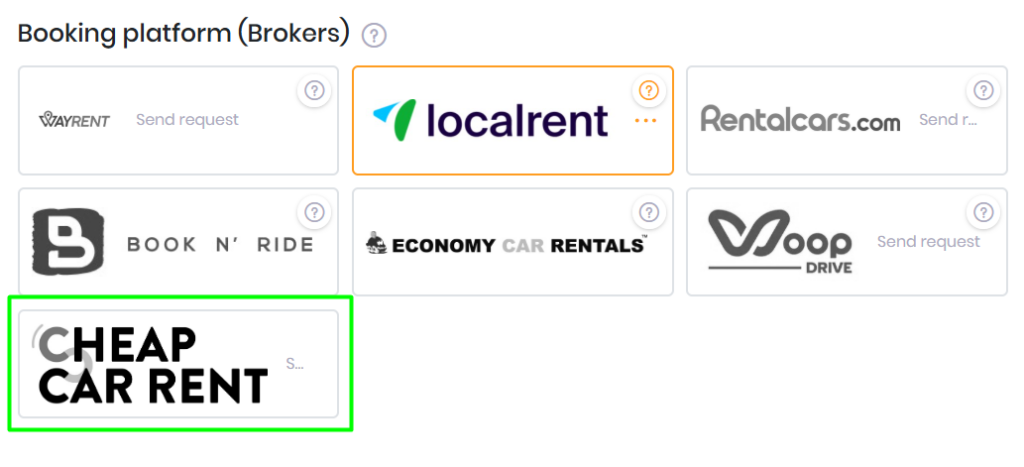
Your fleet and other rental details delivered to CheapCarRent automatically through Rentsyst Broker Api. Once CheapCarRent approve your connection request – you will received confirmation email and Broker icon highlight green.
Check that the listings appear correctly on the marketplace: right vehicles, right prices, right availability. Run a test date range to confirm your calendar is syncing, then confirm that a booking made on CheapCarRent lands back in RentSyst.
If you serve tourist or airport demand and want more filled days without spending on ads, CheapCarRent is a straightforward channel to add — especially since listing is free and you only pay on completed bookings. Connecting it through RentSyst turns it from a manual side-listing into a hands-off extension of the fleet you already run.
Thank you!
Your email has been added to our database. Now you will be the first to receive interesting news about your business.