
RentSyst integrates with SES.HOSPEDAJES — the official platform used in Spain to comply with Royal Decree 933/2021, which requires all vehicle rental companies to report traveller and contract data to the Ministerio del Interior (MIR). This obligation applies to car rental businesses operating anywhere in Spain.
The integration works through your own SES.HOSPEDAJES API credentials, so records are sent directly under your company’s account.
SES.HOSPEDAJES is a platform developed to help accommodation providers and vehicle rental companies comply with the mandatory reporting obligations established by Royal Decree 933/2021. Under this regulation, every car rental company in Spain must electronically communicate traveller data — including identification documents, home address, and contract details — to the Ministry of the Interior at the start of each rental.
The system connects directly to the MIR via a secure API, and SES.HOSPEDAJES acts as a certified intermediary that makes that communication simple and automated.
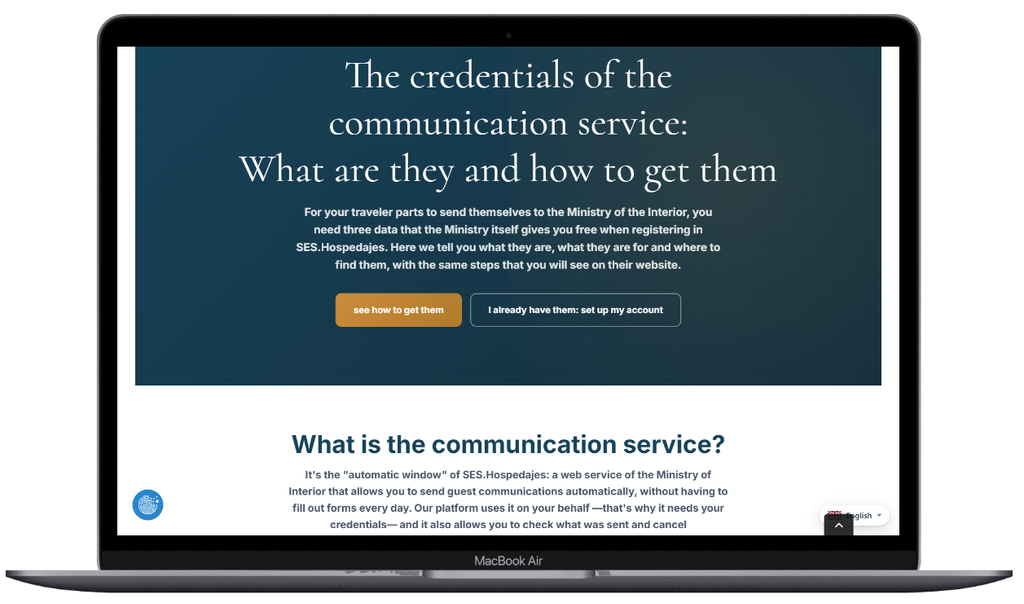
Before connecting in RentSyst, make sure you have the following credentials from your SES.HOSPEDAJES account:
If you do not have these credentials yet, register first at hospedajes.ses.mir.es and complete the setup of your SES.HOSPEDAJES account before proceeding.
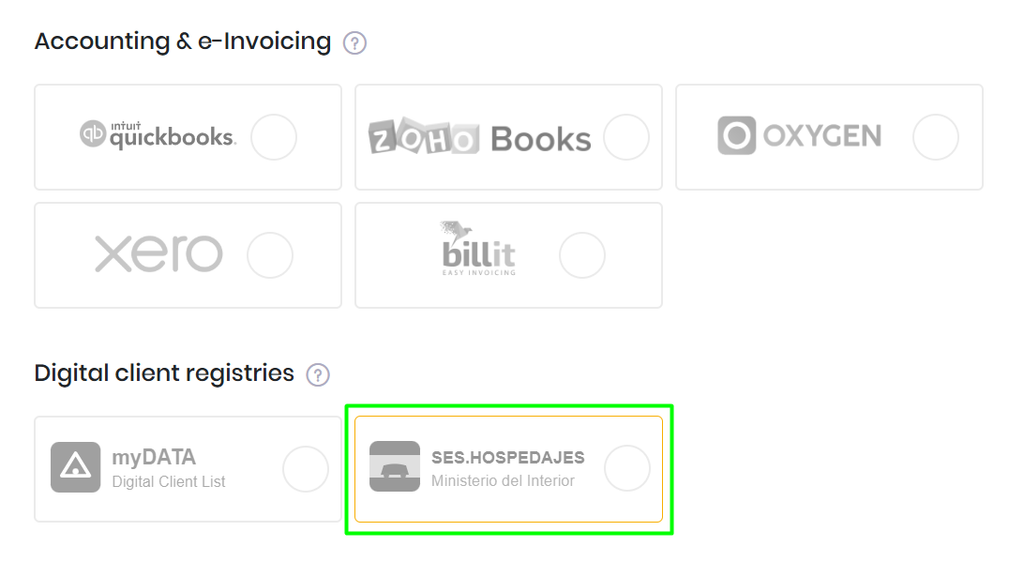
Step 1. Open Integrations in your RentSyst account. In the Digital client registries section, click SES.HOSPEDAJES — Ministerio del Interior.
Step 2. Enter your Web service user, Password, Lessor code and Establishment code in the corresponding fields.
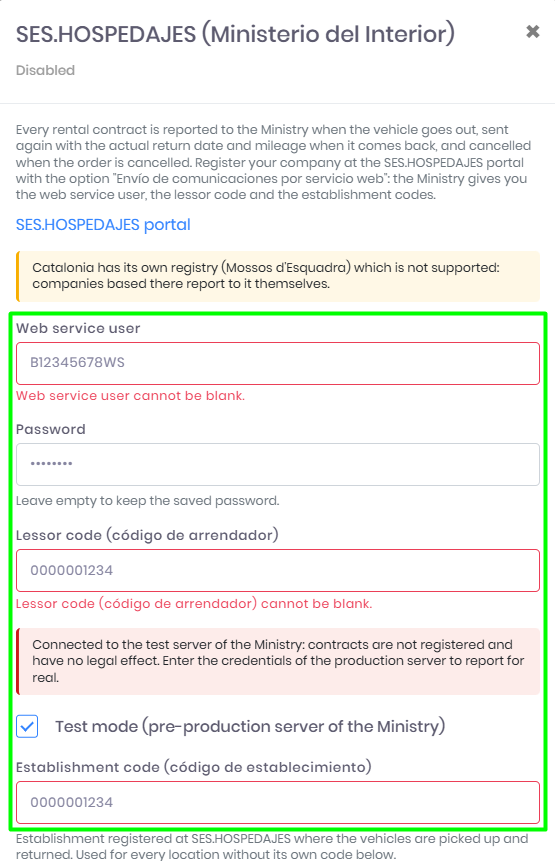
Step 3. Click Connect. RentSyst will validate the credentials with SES.HOSPEDAJES. Once confirmed, the integration is active and will begin reporting automatically.
After connecting, a SES.HOSPEDAJES icon appears next to the creation date in each order. Click it to see the current reporting status.
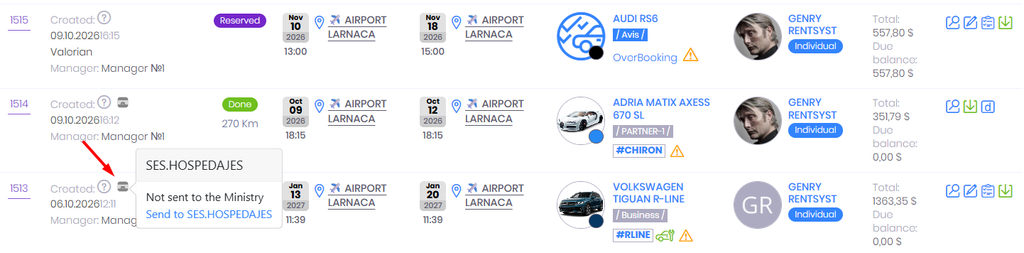
Not sent to the Ministry — the record has not been submitted yet. Click Send to SES.HOSPEDAJES to register it manually.
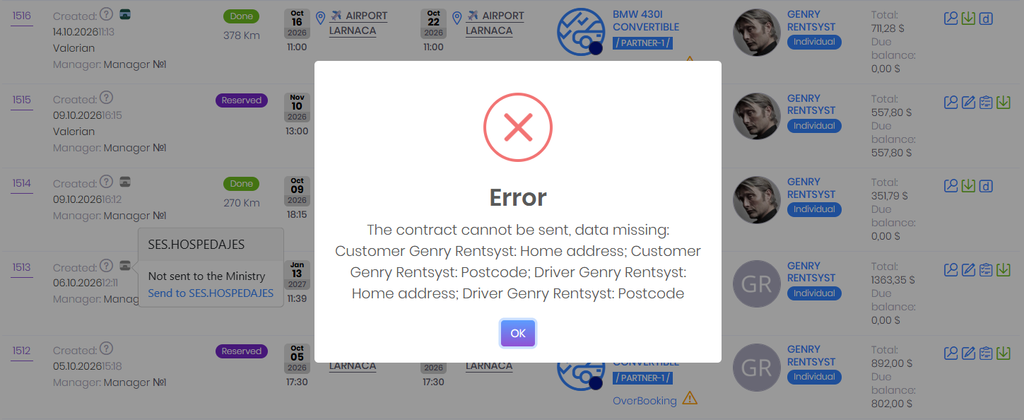
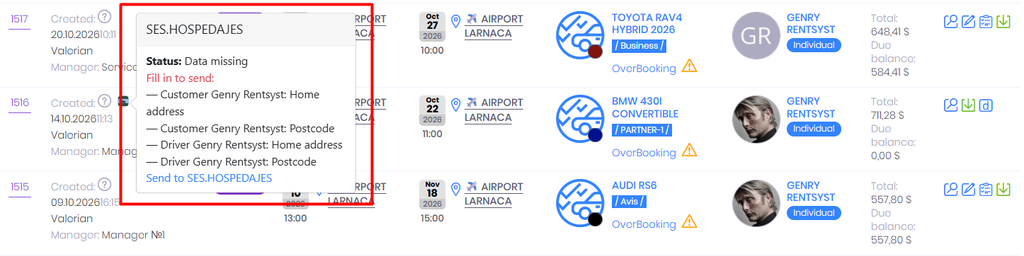
Data missing — the record cannot be sent because required fields are incomplete. The tooltip will list exactly what is missing, for example: vehicle VIN number, customer home address, postcode, or driver postcode. Fill in the missing data in the order and then send.
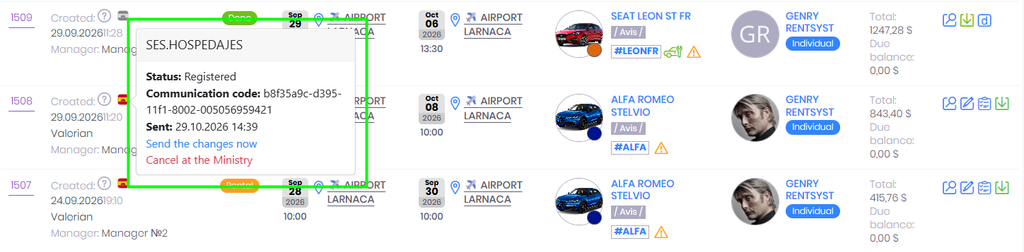
Sent, waiting for the Ministry — the record has been submitted and RentSyst is waiting for confirmation from the MIR. You can click Check the result at the Ministry to verify the status directly.
For each rental, SES.HOSPEDAJES requires the following data to be complete before the record can be submitted:
Make sure this information is filled in for every order. If data is missing, the icon will show Data missing with a list of what needs to be added.

RentSyst se integra con SES.HOSPEDAJES — la plataforma oficial utilizada en España para cumplir con el Real Decreto 933/2021, que obliga a todas las empresas de alquiler de vehículos a comunicar los datos de viajeros y contratos al Ministerio del Interior (MIR). Esta obligación aplica a los negocios de alquiler de coches que operen en cualquier punto de España.
La integración funciona a través de las credenciales API de tu propia cuenta de SES.HOSPEDAJES, de modo que los registros se envían directamente bajo las credenciales de tu empresa.
SES.HOSPEDAJES es una plataforma desarrollada para ayudar a los establecimientos de hospedaje y a las empresas de alquiler de vehículos a cumplir con las obligaciones de comunicación establecidas por el Real Decreto 933/2021. Según esta normativa, toda empresa de alquiler de coches en España debe comunicar electrónicamente los datos de los viajeros — incluyendo documentos de identidad, domicilio y detalles del contrato — al Ministerio del Interior al inicio de cada alquiler.
El sistema se conecta directamente con el MIR a través de una API segura, y SES.HOSPEDAJES actúa como intermediario certificado que hace que esta comunicación sea sencilla y automatizada.
Antes de conectar en RentSyst, asegúrate de tener las siguientes credenciales de tu cuenta de SES.HOSPEDAJES:
Si aún no tienes estas credenciales, regístrate primero en hospedajes.ses.mir.es y completa la configuración de tu cuenta de SES.HOSPEDAJES antes de continuar.
Paso 1. Abre Integraciones en tu cuenta de RentSyst. En la sección Digital client registries, haz clic en SES.HOSPEDAJES — Ministerio del Interior.
Paso 2. Introduce tu Usuario, Contraseña, Código de arrendador y Código de establecimiento en los campos correspondientes.
Paso 3. Haz clic en Conectar. RentSyst validará las credenciales con SES.HOSPEDAJES. Una vez confirmado, la integración estará activa y comenzará a reportar automáticamente.
Una vez conectado, aparece un icono de SES.HOSPEDAJES junto a la fecha de creación en cada pedido. Haz clic en él para ver el estado actual del envío.
Not sent to the Ministry — el registro aún no se ha enviado. Haz clic en Send to SES.HOSPEDAJES para registrarlo manualmente.
Data missing — el registro no puede enviarse porque faltan campos obligatorios. El tooltip mostrará exactamente qué falta, por ejemplo: número de bastidor del vehículo, domicilio del cliente, código postal o código postal del conductor. Completa los datos que faltan en el pedido y vuelve a enviar.
Sent, waiting for the Ministry — el registro se ha enviado y RentSyst está esperando la confirmación del MIR. Puedes hacer clic en Check the result at the Ministry para verificar el estado directamente.
Para cada alquiler, SES.HOSPEDAJES requiere que los siguientes datos estén completos antes de poder enviar el registro:
Asegúrate de que esta información esté completada en cada pedido. Si faltan datos, el icono mostrará Data missing con la lista de lo que hay que añadir.
Thank you!
Your email has been added to our database. Now you will be the first to receive interesting news about your business.